
15-Second summary:
Feedly gives you a powerful arsenal of capabilities to track threats: AI Agents, Insight Cards, AI Feeds, Boards, and more. Go To makes it easy to navigate in the right direction instantly.
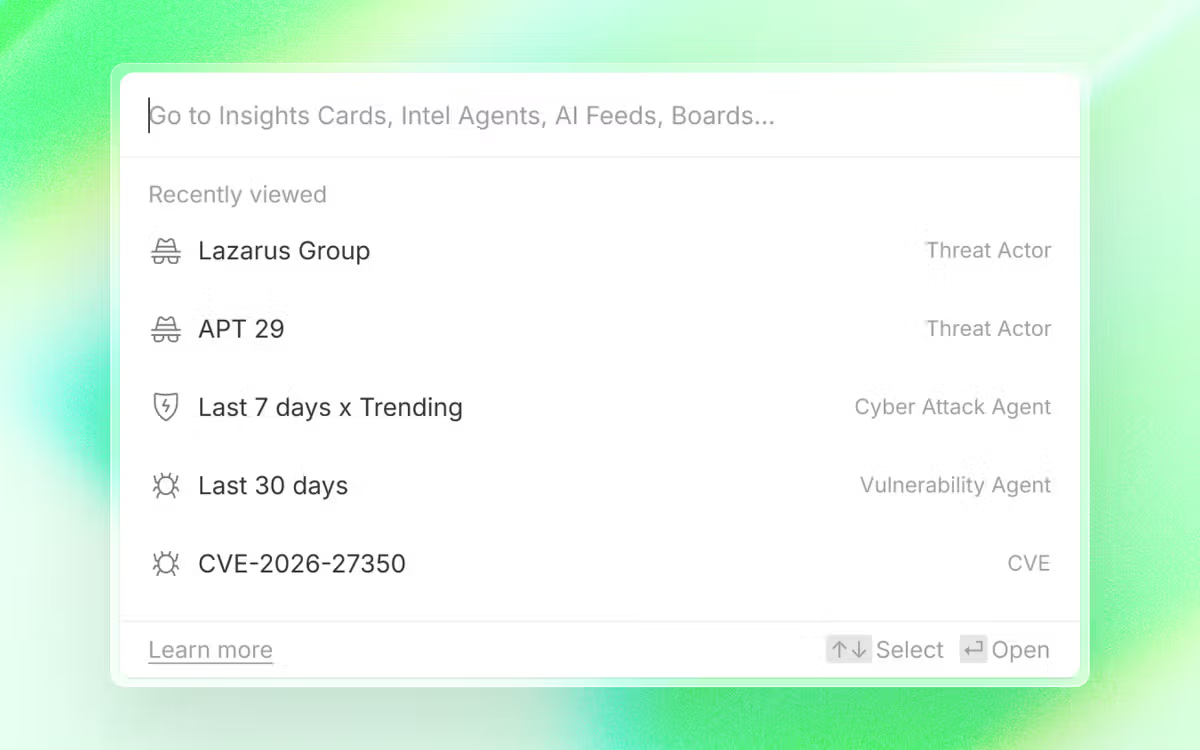
Simply press ‘Cmd + K’ or click ‘Go to’ in the left navigation, and go to your recent pages, or type in any actor, malware, vulnerability, or IoC, and instantly see all the related features, including Insights Cards, Intel Agents, AI Feeds, and Boards.
overview
Go To provides an easy way to track your threats by quickly finding what you need in your Feedly account. Simply press Cmd + K (or Ctrl + K on Windows), or click Go To in the left navigation, and find what you need.
Here’s what you can find:
- Insight Cards: Navigate to any threat actor, malware, CVE, or cyberattack in two clicks.
- Intel Agents, AI Feeds, Folders and Boards: Search by name for everything you’ve set up to track in your account.
- Recently viewed pages: Shows automatically when you open Go To, so you can pick up right where you left off.
Go to any insight card in two clicks
Go To lets you find any insight card by typing in the threat actor, malware family, or vulnerability you’re looking for. The Matching Insights card appears right in the results for easy access.
Find AI feeds, folders and boards by name
With Go To, you can type the name of any saved AI feed, folder or board and go straight to it, no need to toggle through folders or remember where things are organized.
pick up where you left off
When you open Go To, it automatically shows your recently visited pages. This means you can go back to whatever you were tracking with a single click, without having to rely on your browser’s history or back button.
GoTo is now available on all Feedly plans. Open it at any time with Cmd + K (Mac) or Ctrl + K (Windows), or click Go To in the left navigation.
